For dealers, selling digital night vision is not only about showing a product photo or listing technical specifications.
Customers often need help understanding what digital night vision is, how it works, what features matter, and which configuration is suitable for their use. A dealer who can explain these points clearly will have a better chance of building trust and converting interest into real orders.
This guide explains how dealers can explain digital night vision to customers in a clear, practical, and professional way.
Why Customer Education Matters for Digital Night Vision Dealers
Digital night vision is a visual and technical product category. Many customers may be interested in the product, but they may not fully understand how to evaluate it.
Common customer questions include:
- What is digital night vision?
- How is it different from traditional night vision?
- Can it be used in real low-light environments?
- Does it need IR illumination?
- Can it record video?
- Can it connect to a phone?
- Can it be helmet-mounted?
- What accessories are needed?
- Is it suitable for outdoor observation?
If dealers can answer these questions clearly, customers will feel more confident during the buying process.
Start With a Simple Definition
Dealers should first explain digital night vision in simple language.
A digital night vision device uses an image sensor, lens, display, and image processing system to help users observe in low-light environments.
Unlike purely optical viewing products, digital night vision can also support useful functions such as video recording, image capture, WiFi transmission, and digital zoom.
This simple explanation helps customers understand that digital night vision is not only about seeing in the dark. It is also about recording, sharing, and demonstrating low-light image output.
Explain Low-Light Imaging First
Low-light imaging is the core value of digital night vision.
Dealers should explain that customers should not only look at product photos or specification sheets. They should also review real low-light test footage.
When explaining low-light performance, dealers can focus on:
- Nitidez de la imagen
- Brillo
- Control del ruido
- Visibilidad de los detalles
- IR on and IR off comparison
- Real outdoor test scenes
Customers usually understand the product faster when they can see real image output instead of only hearing technical claims.
Explain Sensor Size Without Overcomplicating It
Sensor size can affect the imaging foundation of a digital night vision product.
A larger and more capable sensor can help collect more light and support better low-light image quality. However, dealers should avoid making sensor size sound like the only factor that matters.
Customers should understand that final image quality also depends on:
- Lens design
- Procesamiento de imágenes
- Calidad de la pantalla
- Firmware tuning
- Real test performance
A good explanation should be clear but not exaggerated. Sensor size is important, but the complete imaging system is what creates the final viewing experience.
Explain Why 1x Viewing Matters
Many customers may assume that higher magnification is always better. Dealers should explain why this is not always true.
For many digital night vision applications, 1x base magnification is useful because it provides a more natural viewing scale.
1x viewing can help with:
- Observación al aire libre
- Scanning nearby surroundings
- Uso acoplado al casco
- Reducing visual discomfort
- Maintaining a more natural viewing experience
Digital zoom can still be useful for closer inspection, but 1x base viewing is often more practical for general observation and wearable setups.
Explain Refresh Rate as Viewing Smoothness
Refresh rate should be explained in terms of viewing smoothness.
Customers may not care about technical numbers at first, but they can understand the difference between a smooth image and a delayed or uncomfortable viewing experience.
Dealers can explain that refresh rate may affect:
- Motion comfort
- Scanning experience
- Helmet-mounted usability
- Estabilidad de la imagen durante el movimiento
- Customer demonstration quality
Real movement footage is useful because it helps customers see whether the image remains smooth during actual use.
Explain IR Support Clearly
IR illumination is an important feature in many digital night vision products.
Dealers should explain that IR support can help the device work in darker environments when available light is limited.
Customers should understand the difference between:
- Low-light viewing with available light
- Very dark environments with IR support
- IR on and IR off image differences
- Control manual por infrarrojos
- Possible power consumption changes when IR is used
A clear IR explanation helps customers set realistic expectations for different lighting conditions.
Explain Recording as a Practical Digital Advantage
Video recording is one of the practical advantages of digital night vision.
Dealers can explain that recording allows users to save observation footage, review image performance, and prepare demonstration material.
For customers, recording may be useful for:
- Saving test footage
- Reviewing low-light scenes
- Comparing different environments
- Creating product demonstration content
- Sharing image output with others
For dealers, recording also helps with product education, sales training, and marketing content preparation.
Explain WiFi Transmission as Live Viewing
WiFi transmission should be explained as a live viewing function.
Instead of only one person looking through the device, WiFi transmission allows the image output to be viewed on a compatible mobile device.
This can help dealers during:
- Customer demonstrations
- Sample testing
- Formación para distribuidores
- Product comparison
- Low-light image review
- Marketing video preparation
Dealers should also explain mobile compatibility clearly. For example, if a product is designed for Android WiFi transmission, customers should know that before buying.
Explain Helmet-Mounted Configuration Carefully
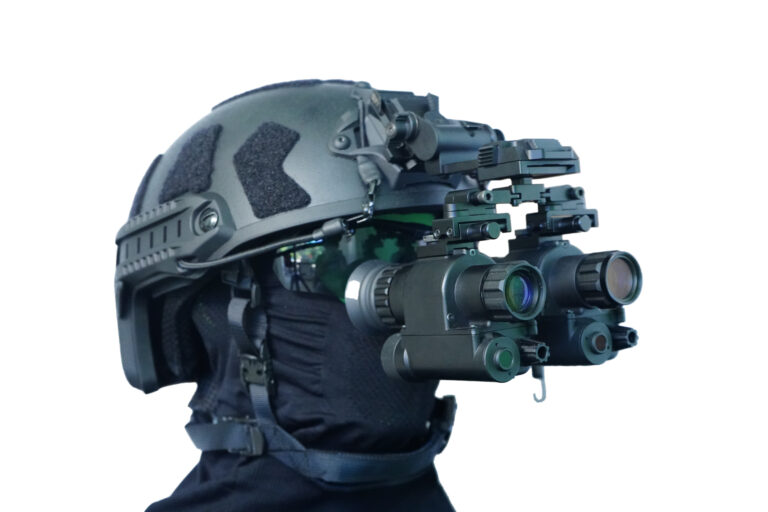
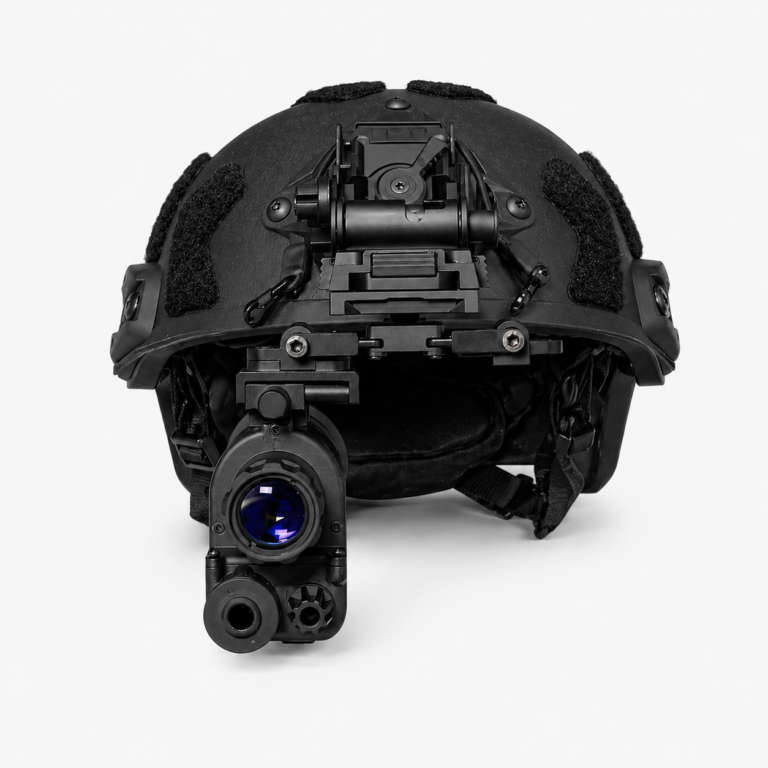
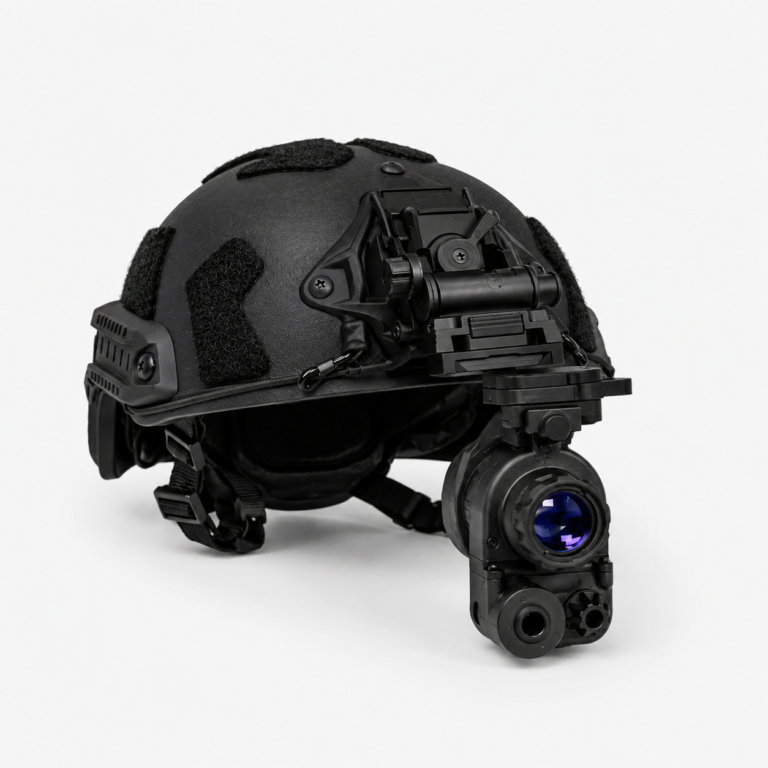
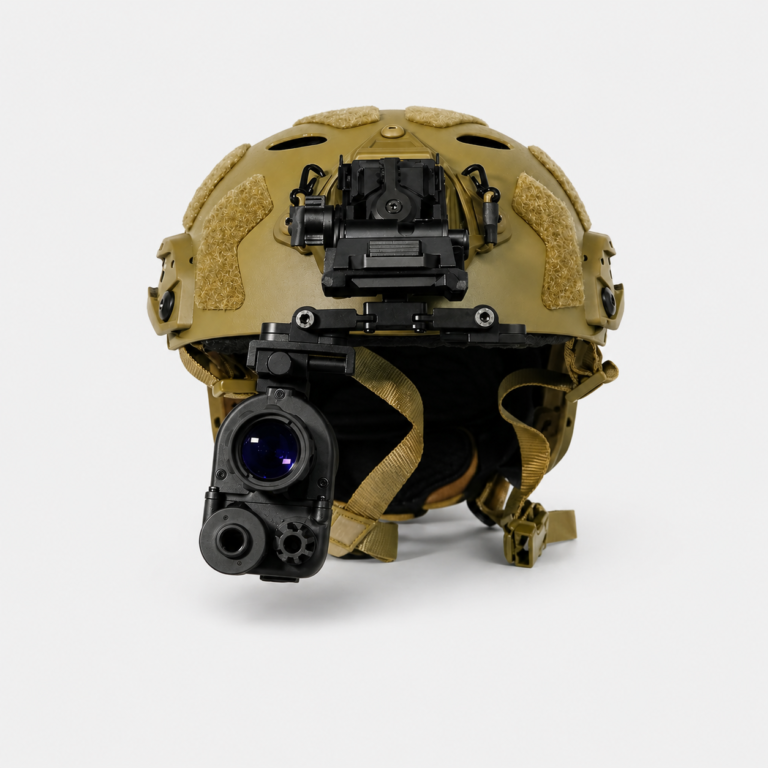
Helmet-mounted configuration is an important option for many digital night vision customers.
Dealers should explain that helmet-mounted use usually requires more than the main device. A complete setup may need mounting accessories.
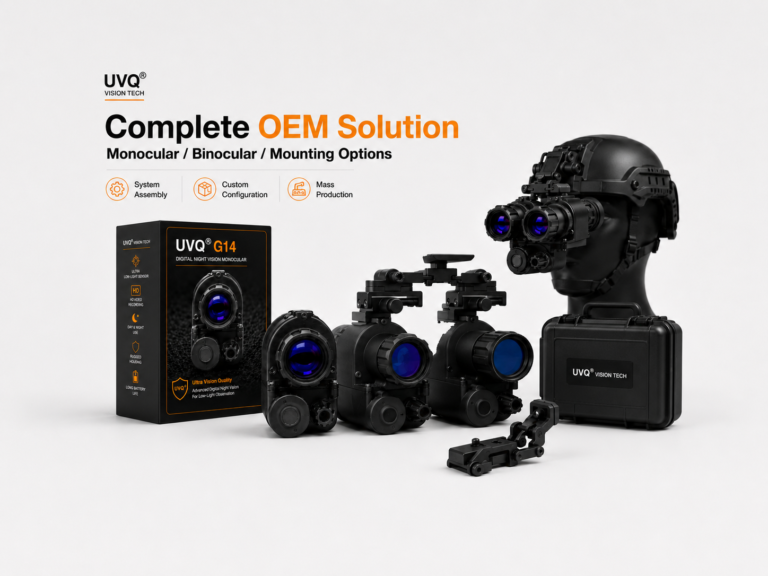
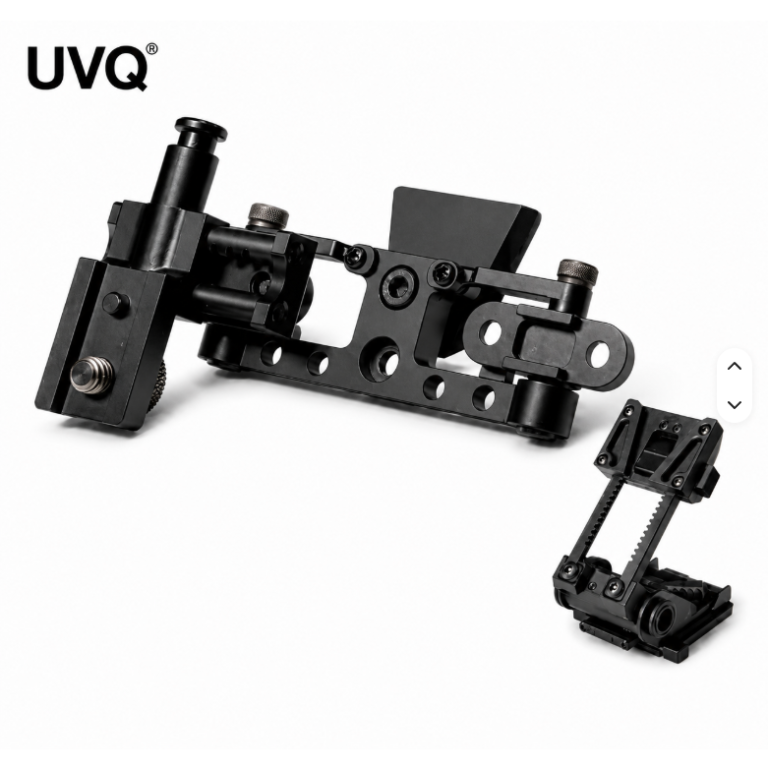
Un kit para montar en el casco puede incluir:
- Monocular digital de visión nocturna
- Adaptador de riel
- Soporte abatible
- Interfaz del casco
- Mounting screws or adjustment parts
Customers should also understand that weight, balance, viewing position, and mounting stability all affect the final experience.
Explain Accessories as Part of the System
Accessories should not be treated as minor details.
For digital night vision, accessories can affect how the product is used, mounted, transported, and demonstrated.
Dealers should clearly explain:
- ¿Qué incluye el paquete estándar?
- Which accessories are optional
- Which accessories are needed for helmet-mounted use
- Which accessories are needed for binocular setup
- How accessories affect total package price
- How accessories affect user experience
Clear accessory explanation reduces confusion and helps customers choose the right package.
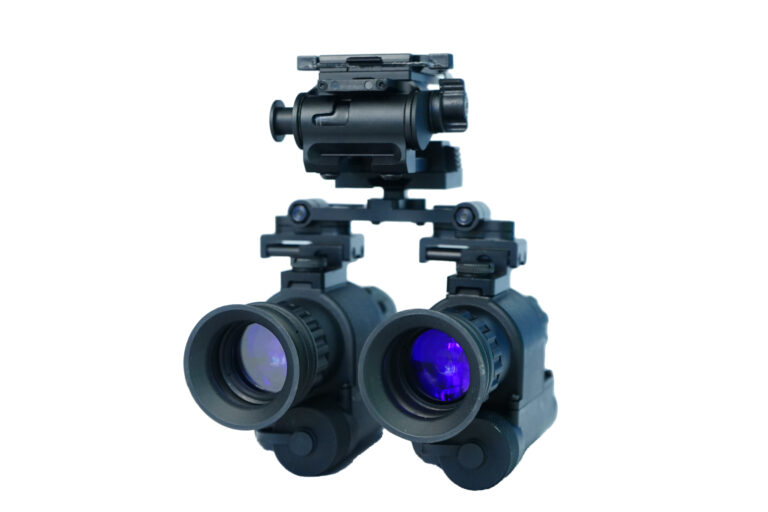
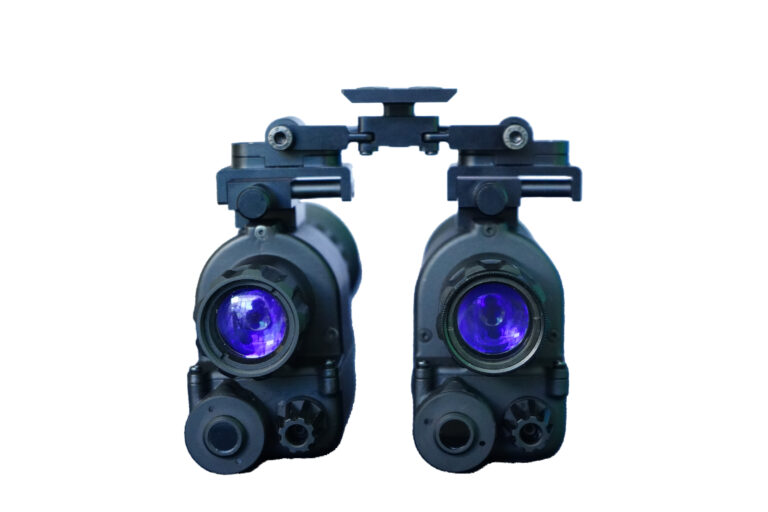
Explain Monocular and Binocular Package Options
Customers may ask whether they should choose a monocular or binocular setup.
Dealers can explain this in a simple way:
- A monocular setup is usually lighter, simpler, and easier to start with.
- A binocular setup can provide a more complete dual-device configuration.
- A binocular setup usually requires more accessories and more careful adjustment.
- Customers should consider weight, comfort, package cost, and intended use.
For many customers, starting with a monocular package is practical. A binocular setup can be offered as an advanced option.
Use Real Test Footage Instead of Overpromising
Digital night vision customers often want proof before they buy.
Dealers should use real test footage to explain performance instead of relying on exaggerated claims.
Useful demonstration footage includes:
- Outdoor low-light scenes
- IR on and IR off comparison
- Movement and scanning footage
- Recording samples
- Helmet-mounted demonstration
- WiFi transmission demonstration
Real test footage helps customers understand actual product performance and reduces unrealistic expectations.
Prepare Simple Answers for Common Customer Questions
Dealers should prepare simple answers for common customer questions.
| Customer Question |
Simple Dealer Explanation |
| What is digital night vision? |
It uses a sensor, lens, display, and image processing system to support low-light observation. |
| Why does sensor size matter? |
Sensor size can affect light collection and image foundation, but the full system also matters. |
| Why is 1x viewing useful? |
1x viewing helps provide a more natural viewing scale for observation and helmet-mounted use. |
| Why does refresh rate matter? |
Refresh rate affects image smoothness during movement and scanning. |
| What does WiFi do? |
WiFi allows live image viewing on a compatible mobile device. |
| Why is recording useful? |
Recording helps users save and review low-light footage. |
| Can it be helmet-mounted? |
Some models can be helmet-mounted with compatible mounting accessories. |
UVQ G14 Dealer Explanation Example
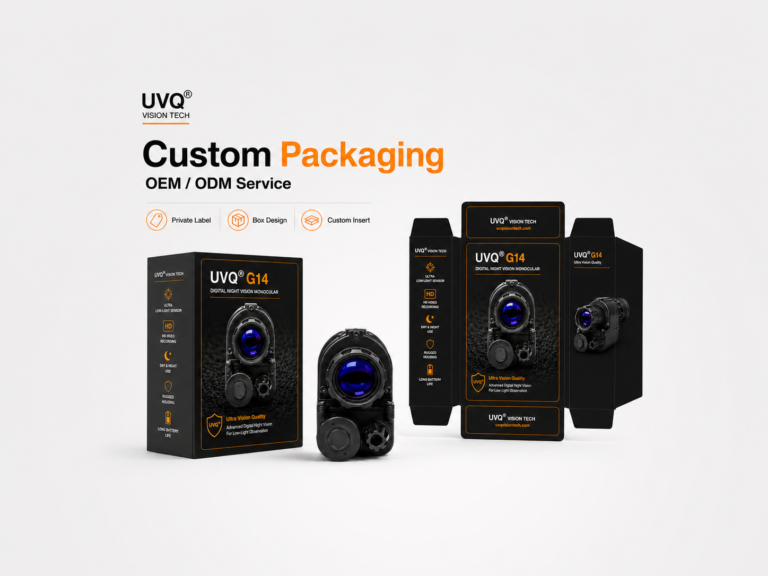
El Monocular digital de visión nocturna UVQ G14 can be explained as a flexible digital night vision platform for low-light observation, product demonstration, recording, Transmisión de imágenes en tiempo real por WiFi en Android, helmet-mounted configuration, and B2B cooperation.
Key explanation points include:
- 1-inch BSI CMOS sensor for a strong imaging foundation
- 50/100Hz imaging for smooth viewing experience
- 1x base magnification for natural viewing
- Manual IR illumination for darker environments
- Video recording and image capture
- Transmisión de imágenes en tiempo real por WiFi en Android
- 32 GB de almacenamiento integrado
- Transferencia de datos mediante USB tipo C
- IP67 waterproof protection
- Lightweight body design
- Helmet-mounted configuration options
- Monocular and binocular package possibilities
For dealers, the UVQ G14 can be presented as a product that supports both customer education and practical demonstration.
Dealer Sales Explanation Checklist
| Explanation Area |
What Dealers Should Prepare |
| Basic definition |
Explain what digital night vision is in simple language. |
| Rendimiento con poca luz |
Prepare real low-light test footage. |
| Sensor and image quality |
Explain sensor size together with real image output. |
| 1x viewing |
Explain natural viewing and helmet-mounted usability. |
| Recording |
Show how footage can be saved and reviewed. |
| Transmisión por WiFi |
Show live viewing on a compatible mobile device. |
| Mounting options |
Explain handheld, helmet-mounted, and binocular configurations. |
| Accesorios |
Clarify standard and optional package contents. |
| Sample testing |
Help buyers evaluate the product before larger orders. |
Reflexiones finales
Dealers can explain digital night vision more effectively by focusing on customer understanding instead of only listing specifications.
A strong explanation should cover low-light imaging, sensor size, 1x viewing, refresh rate, IR support, recording, WiFi transmission, helmet-mounted configuration, accessories, real test footage, and sample testing.
For B2B buyers and dealers, clear explanation materials can improve customer confidence, reduce repeated questions, and make the sales process more professional.
The better a dealer can explain the product, the easier it becomes for customers to understand its value and choose the right configuration.
The clearest way to explain a range is to let a customer handle it, which is what the UVQ G14 demo kit is for; the UVQ G14 monocular is the model most demonstrations centre on. For building the shortlist itself, see the dealer buying guide and the product page guide, with stockist terms on the dealer program page.

 English
  Chinese
 Spanish