Choosing a digital night vision monocular is not only about the device itself. Accessories can strongly affect how the product is used, how comfortable it feels, and how easy it is to demonstrate or sell.
For B2B buyers, dealers, and OEM/ODM partners, the right accessory configuration can make a digital night vision monocular more practical and more marketable.
This guide explains what accessories buyers should consider when selecting a digital night vision monocular.
Why Accessories Matter for Digital Night Vision
A digital night vision monocular can often be used in different ways.
Some users may prefer handheld observation. Others may need helmet-mounted use, rail-mounted configuration, or binocular setup.
Accessories help turn one core device into different product solutions.
For distributors and brand owners, this is important because different customers may have different usage habits and package expectations.
A clear accessory plan can help reduce misunderstanding and improve the customer experience.
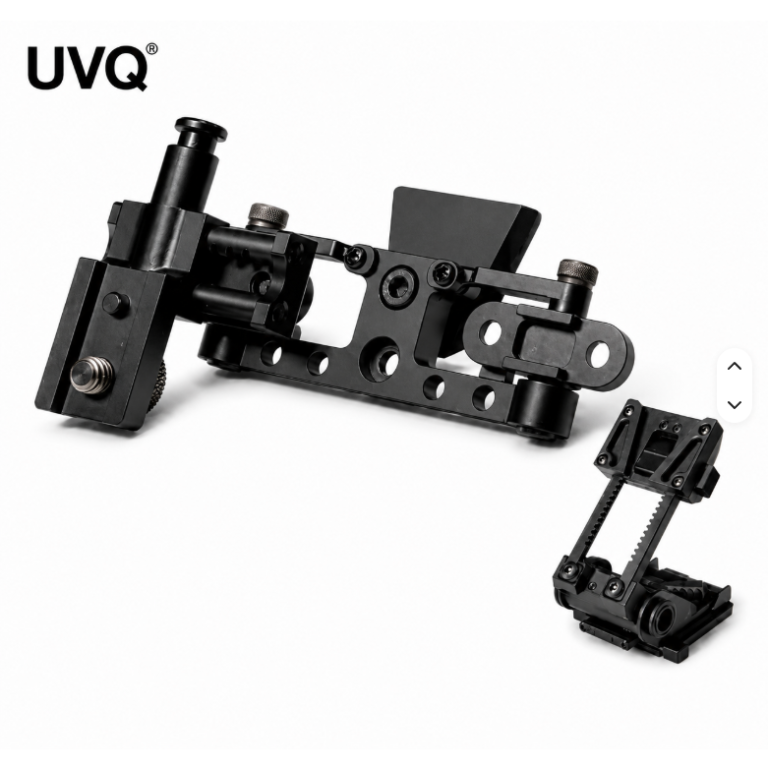
1. Flip-Up Mount
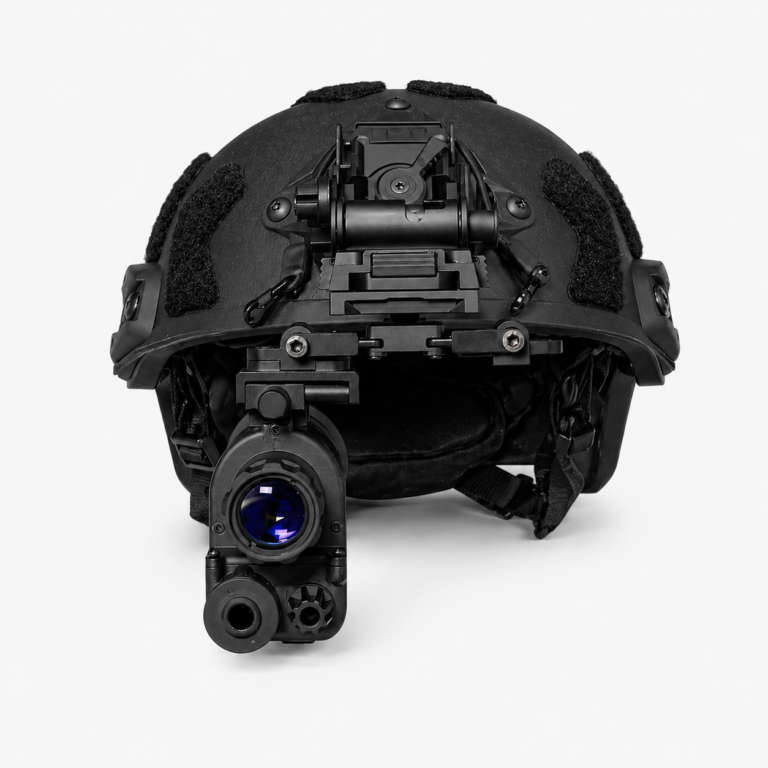
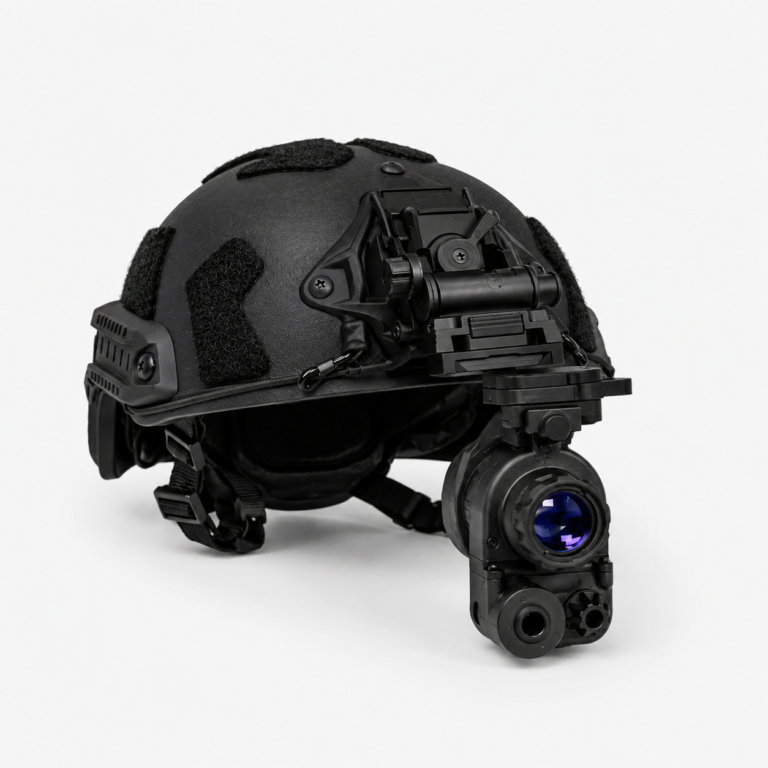
A flip-up mount is one of the most important accessories for helmet-mounted night vision use.
It allows the user to move the monocular up when the device is not needed, and bring it back down when observation is required.
This improves convenience and helps users switch between direct vision and device-assisted observation.
When choosing a flip-up mount, buyers should check:
- Stability
- Adjustment range
- Locking mechanism
- Compatibility with the monocular
- Ease of operation
A good flip-up mount should feel secure, not loose or difficult to adjust.
2. Rail Mount or Adapter
A rail mount or adapter connects the digital night vision monocular to a mounting system.
This accessory is important because it determines whether the device can be used in a more complete setup.
For digital night vision products, the rail or adapter should be stable, easy to install, and compatible with the intended configuration.
For B2B buyers, it is useful to confirm whether the mount is included in the standard package or offered as an optional accessory.
Clear accessory information can help avoid customer confusion.
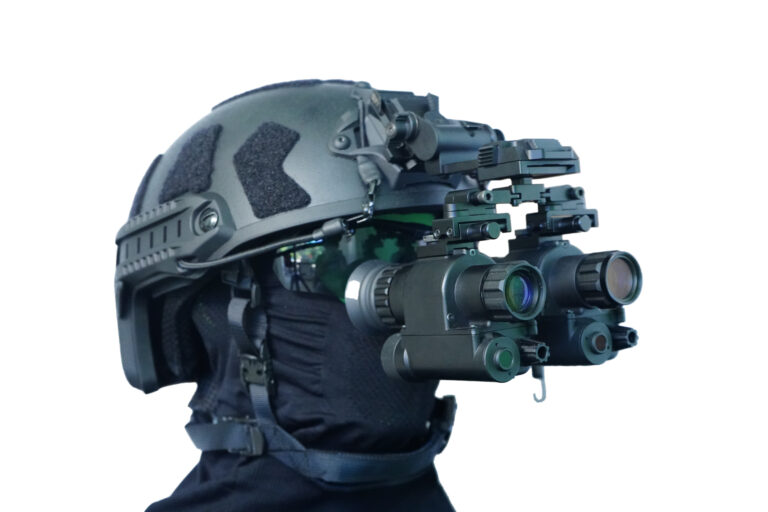
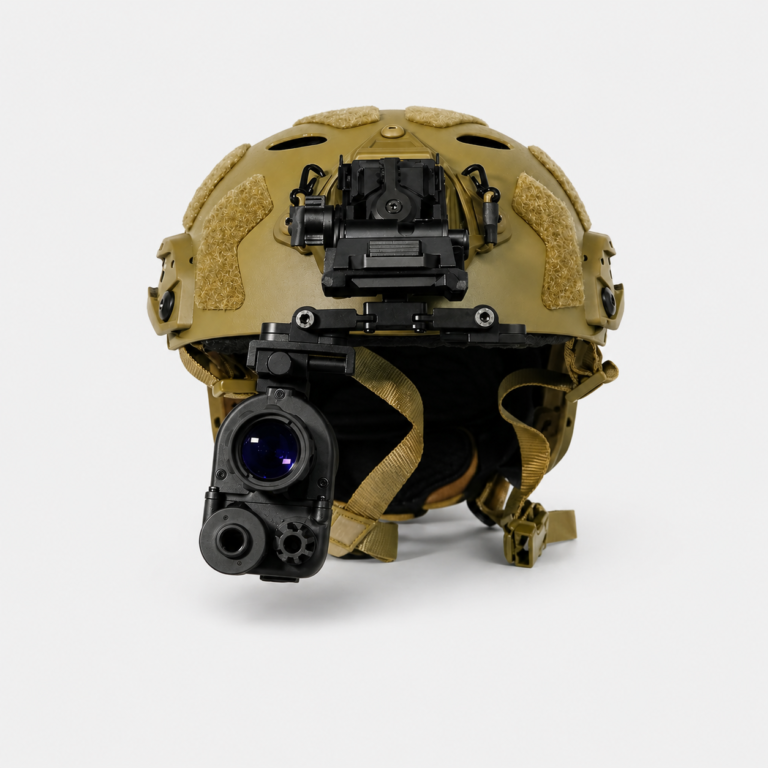
3. Helmet Mounting System
Helmet-mounted use is common for users who need hands-free observation.
A helmet mounting system may include:
- Helmet interface
- Flip-up bracket
- Rail adapter
- Mounting screws
- Adjustment parts
The full setup should be evaluated as a complete system, not only as separate parts.
Important points include:
- Weight balance
- Viewing position
- Adjustment flexibility
- Long-time comfort
- Mounting stability
A lightweight monocular can be easier to use in a helmet-mounted setup, but the final experience also depends on the quality of the mounting accessories.
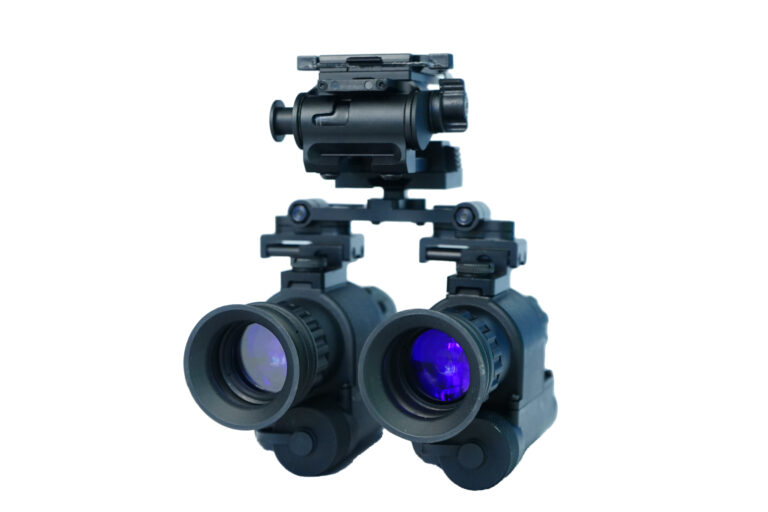
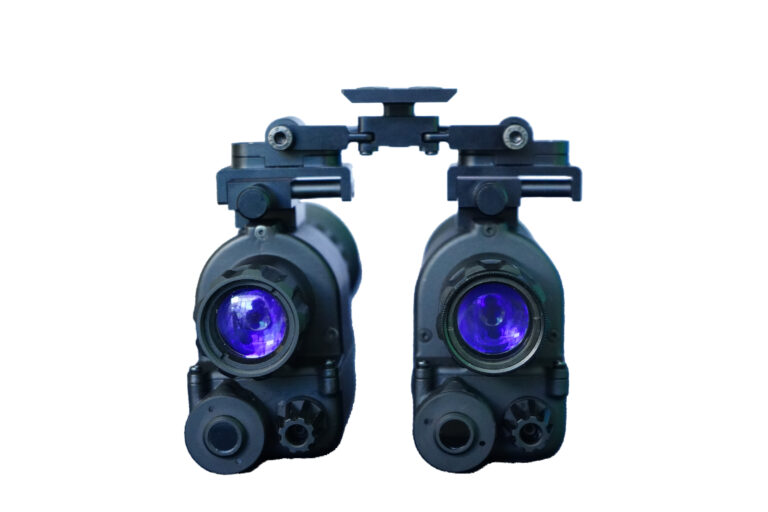
4. Bridge System for Binocular Configuration
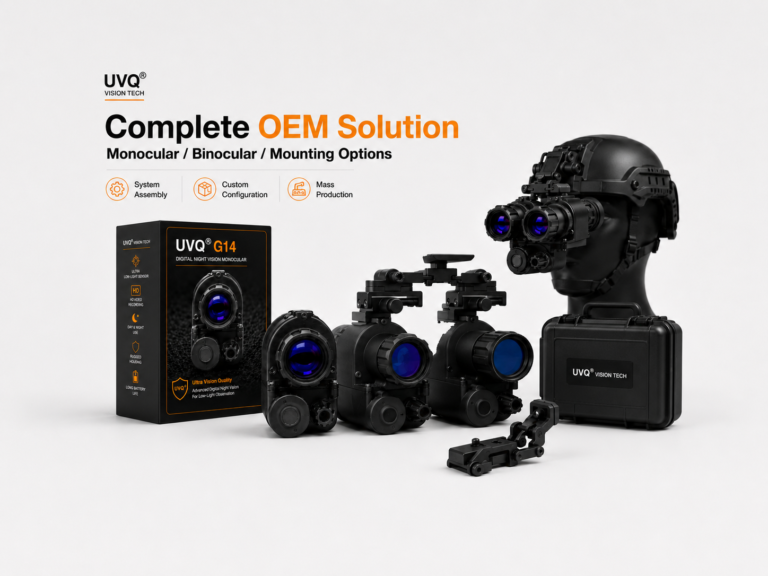
Some buyers may want to use two monocular devices together as a binocular setup.
A bridge system can connect two units and create a dual-device configuration.
This can provide a more complete viewing experience for users who prefer binocular observation.
For dealers and OEM/ODM buyers, binocular configuration can also be useful as a higher-value product package.
When evaluating a bridge system, buyers should check:
- Alignment
- Adjustment range
- Stability
- Weight distribution
- Compatibility with the monocular model
A binocular setup requires more careful configuration than a single monocular, so accessory quality is especially important.
Many digital night vision devices support video recording and image capture.
A storage card allows users to save test footage, product demonstration videos, and low-light observation records.
For B2B buyers, video recording support is useful because real test footage can help with:
- Product evaluation
- Dealer training
- Customer demonstration
- Marketing content
- Internal comparison
When preparing a product package, buyers should confirm whether a storage card is included or needs to be purchased separately.
6. USB Type-C Cable and Data Transfer
A USB Type-C cable is a simple but useful accessory.
It can support charging, data transfer, or connection with other equipment depending on the product design.
For digital night vision devices with video recording, easy data transfer is important.
Buyers should check whether the package includes a reliable cable and whether the user manual clearly explains how to transfer files.
Small details like this can improve the customer experience.
7. Carrying Case or Protective Packaging
Digital night vision products need proper protection during transportation and storage.
A carrying case or protective packaging can help protect the device, lens, mount, cables, and other accessories.
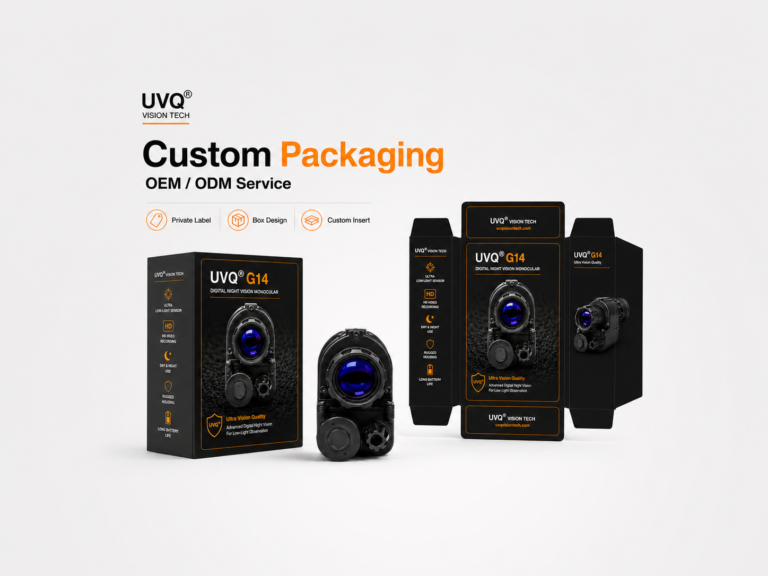
For dealers and brand owners, packaging is also part of product presentation.
A professional package can make the product easier to display, easier to explain, and more suitable for retail or dealer channels.
Buyers should consider whether the package is designed only for basic shipping or also for final customer presentation.
8. User Manual and Quick Start Guide
A good user manual is an important accessory for digital night vision products.
Many customers are not familiar with all device functions when they first receive the product.
A clear manual should explain:
- Basic operation
- Power and charging
- IR control
- Recording function
- WiFi transmission
- Mounting steps
- Maintenance
- Safety notes
For OEM/ODM buyers, customized manuals can also help strengthen the buyer’s own brand image.
9. Spare Parts and Replacement Accessories
For B2B cooperation, spare parts are important.
Dealers and distributors may need replacement mounts, screws, cables, lens caps, or other small accessories.
Before placing a larger order, buyers should ask whether spare parts are available.
This helps support after-sales service and reduces the risk of small accessory issues affecting the whole product experience.
Accessory Configuration for Different Buyers
Not every buyer needs the same accessory package.
A basic retail package may include:
- Digital night vision monocular
- Cable
- Manual
- Basic protective packaging
A helmet-mounted package may include:
- Monocular
- Flip-up mount
- Rail adapter
- Mounting accessories
- Storage card
- User manual
A dealer or OEM/ODM package may include:
- Product
- Mounting accessories
- Packaging customization
- Product photos
- Test videos
- User manual customization
- Spare parts plan
Choosing the right package depends on the target market and sales channel.
UVQ G14 Accessory Options
The UVQ G14 digital night vision monocular supports flexible accessory configurations for different buyer needs.
Possible configurations include:
- Handheld monocular use
- Rail mount setup
- Flip-up mount setup
- Helmet-mounted configuration
- Binocular bridge setup
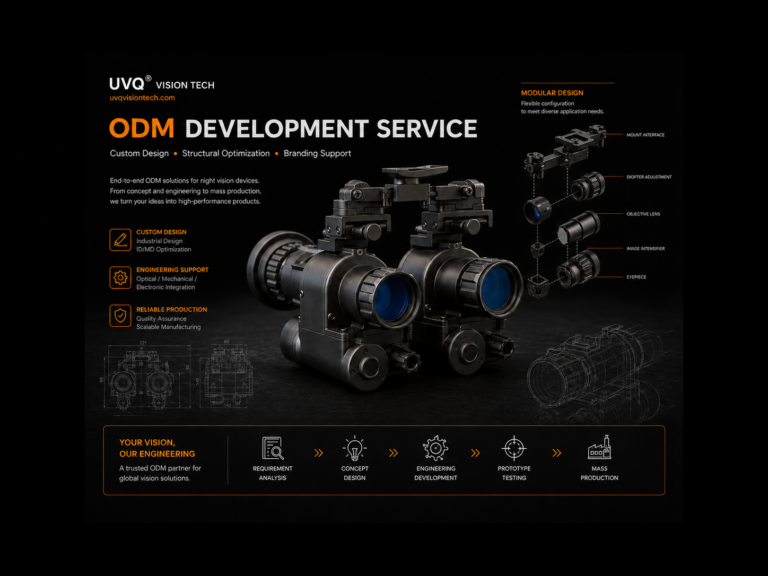
- OEM/ODM packaging support
For dealers and B2B buyers, this flexibility can help create different product packages for different market segments.
A single product platform can support multiple sales scenarios, from basic monocular packages to more complete helmet-mounted or binocular configurations.
Final Thoughts
Accessories can greatly affect the usability and market value of a digital night vision monocular.
Buyers should not only compare sensor size, refresh rate, recording function, or WiFi transmission. They should also evaluate the full accessory system.
A strong accessory configuration can make the product easier to use, easier to demonstrate, and easier to sell.
For B2B buyers, dealers, and OEM/ODM partners, choosing the right accessories is an important step in building a reliable digital night vision product line.
Mounting hardware is usually the first accessory decision. The rail mount and flip-up adapter set is the combination most often specified, and the full range sits under accessories. Weight is the main trade-off, measured in the UVQ G14 weight test; helmet mount vs handheld explains when extra hardware is worth carrying.

 English
  Chinese
 Spanish